
Deposit journal
Record a contribution and the current portfolio value in seconds, with an optional note. Each portfolio can have its own currency.

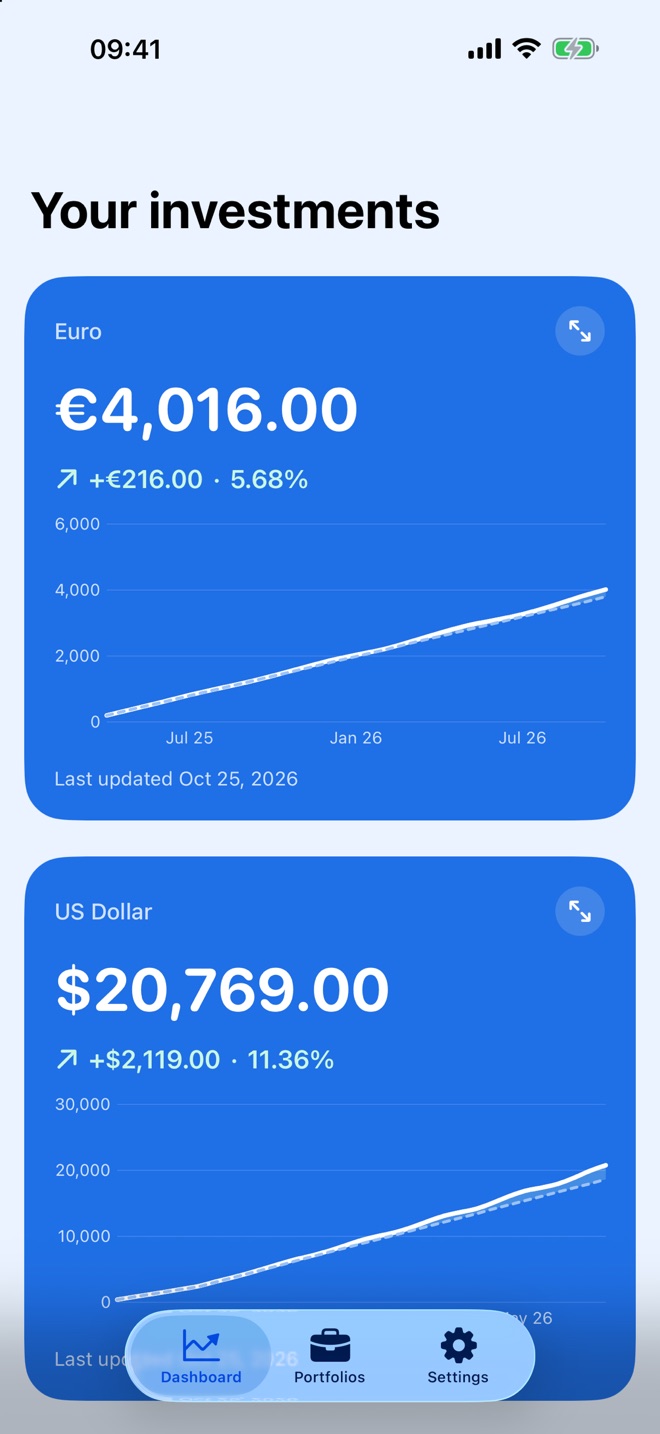
Your broker shows you today’s balance. Aksvest shows you the story behind it: every deposit, how your portfolio grew over time and how much of that growth is your money versus your returns.
Record a contribution and the current portfolio value in seconds, with an optional note. Each portfolio can have its own currency.
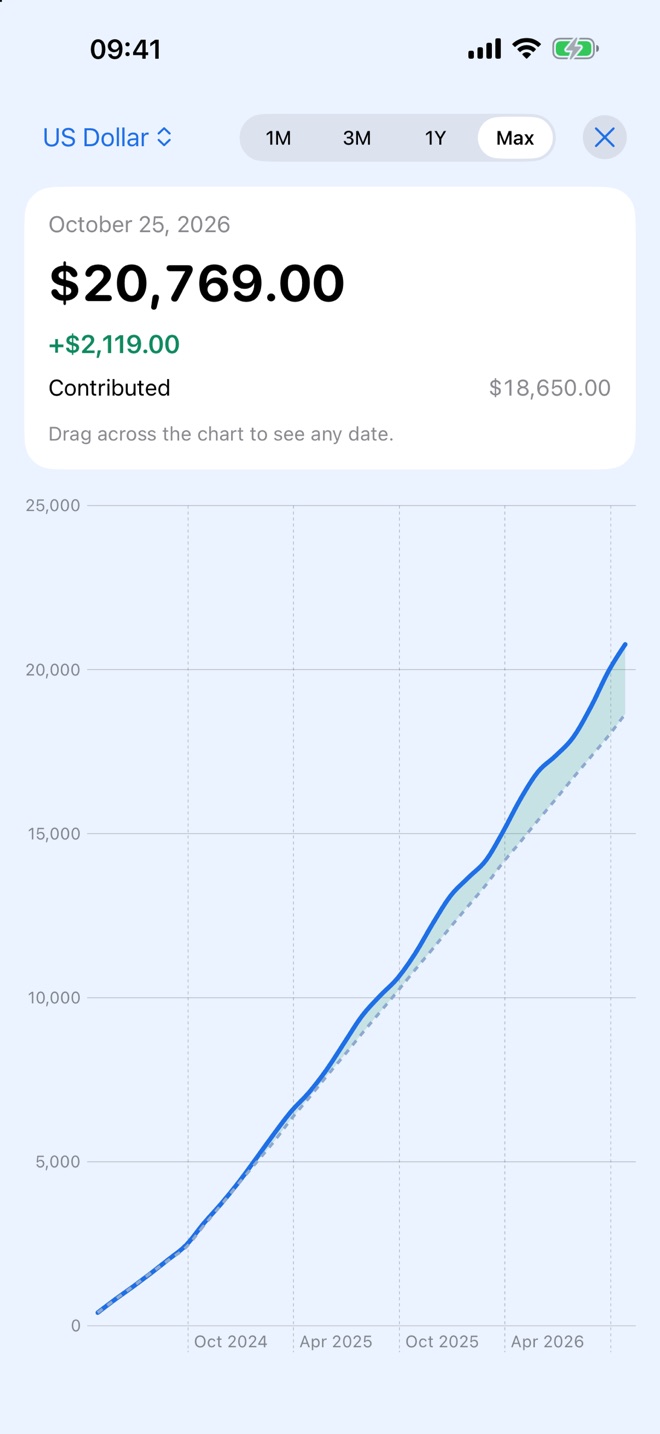
Portfolio value against what you’ve put in. Turn your iPhone sideways to explore the chart full screen.
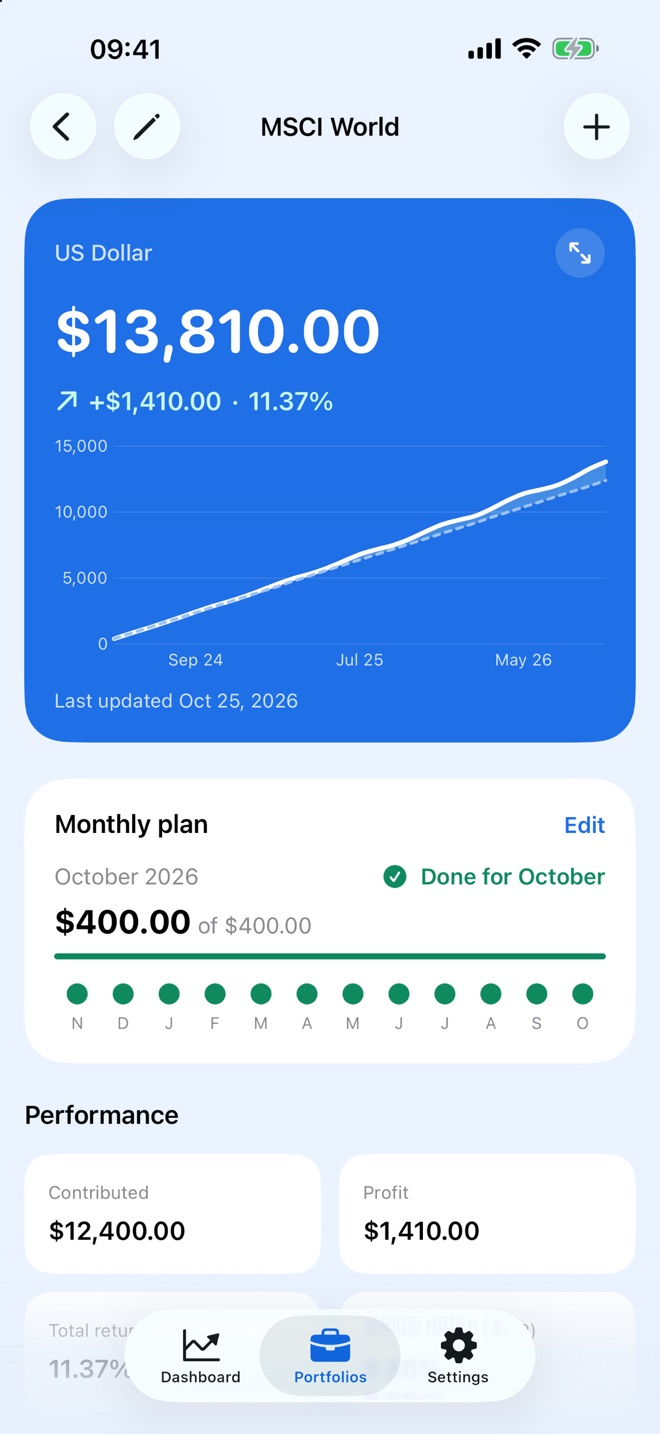
Set a monthly amount and day, and Aksvest reminds you and shows whether you’ve already invested this month.
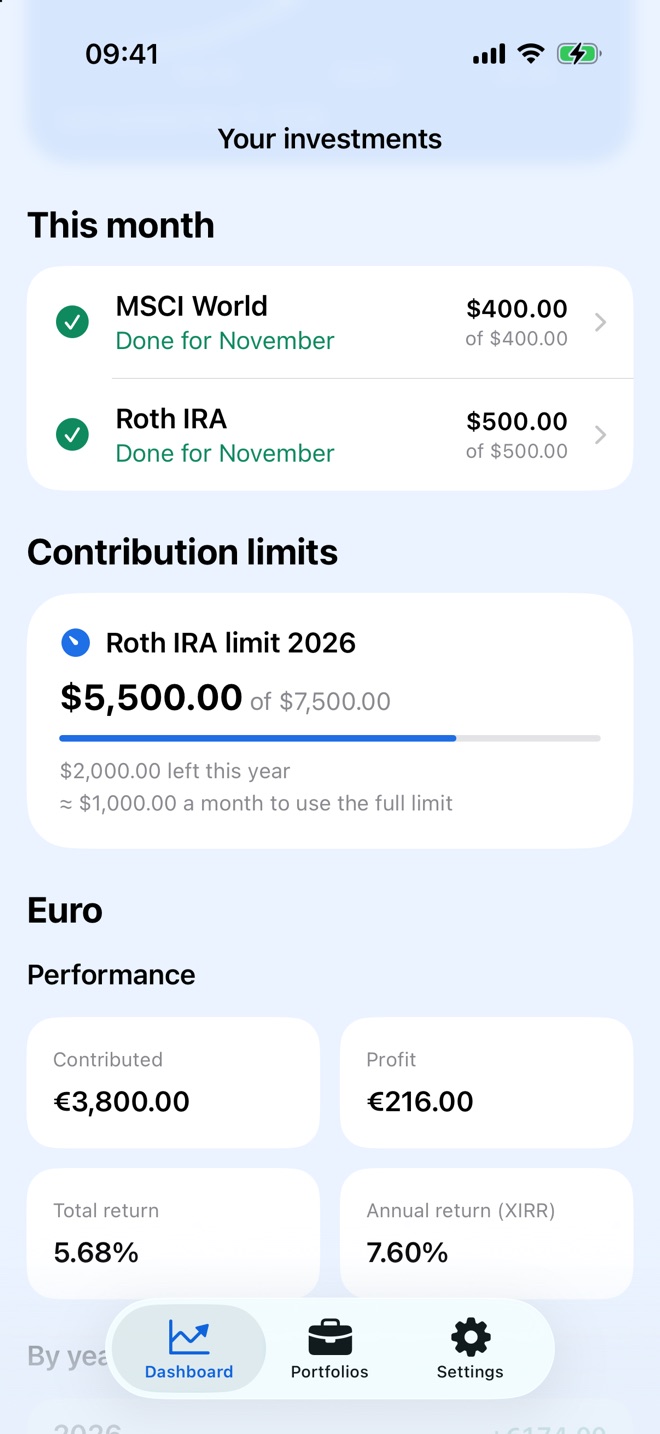
XIRR accounts for when you invested, and yearly results show how each year went.
Yearly contributions to an ISA, a Roth IRA or any account with an annual limit: what’s left and about how much a month would use the full limit. Calendar or tax year.
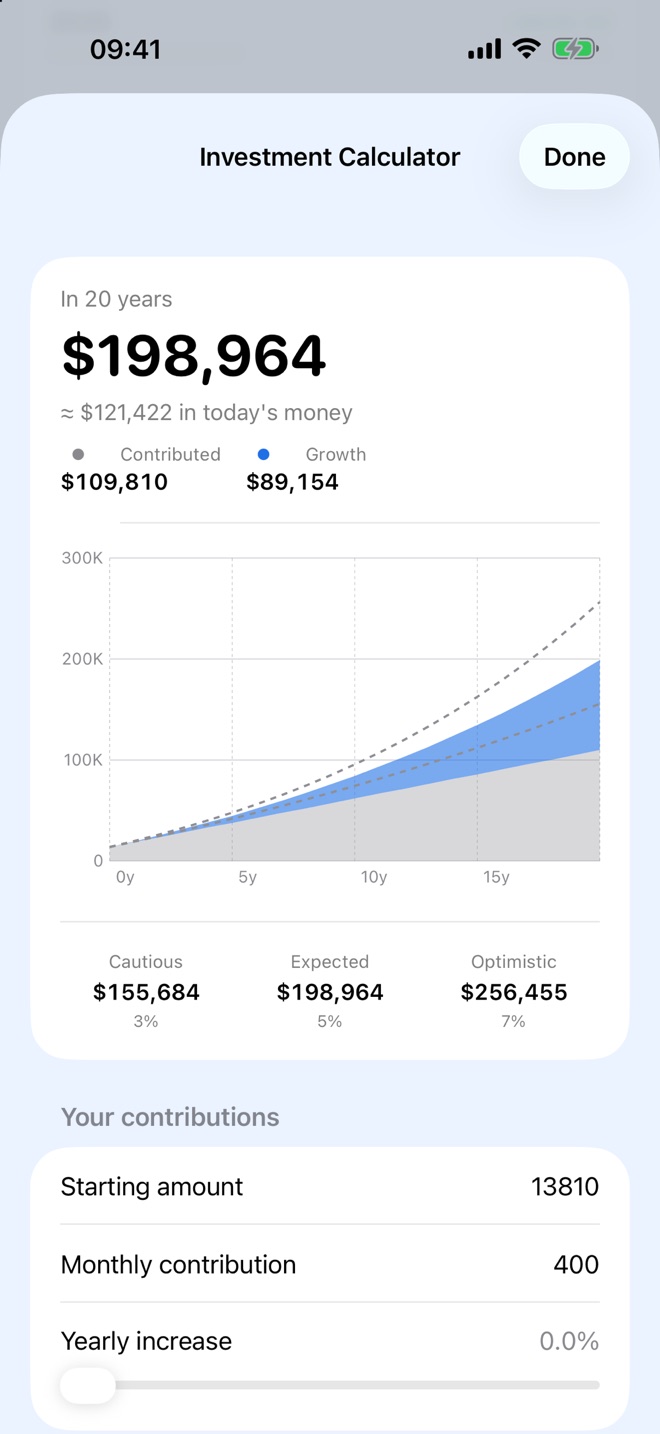
What your current contributions could grow into, in today’s money, with cautious, expected and optimistic scenarios.
Your data syncs through your private iCloud. There’s no sign-up, no ads and no tracking, and AKSAL SOFTWARE has no access to your data.
The full app with the journal, plan and charts. On iPad, the portfolio list and details sit side by side.
The same app on your Mac, in sync with your iPhone.
A read-only view of your portfolios and plan on the big screen.
Your portfolios, this month’s plans and contribution limits on your wrist, with complications for the watch face. Read-only, synced from your iPhone through iCloud.
“This month” and “Contribution limit” on the Home Screen and the Mac desktop, and a short summary of this month’s plans on the Lock Screen. Tap a widget to open its portfolio.
English, Polish, Chinese (Simplified and Traditional), Danish, Dutch, Finnish, French, German, Italian, Japanese, Korean, Norwegian, Spanish and Swedish.
No account, no analytics and no ads. Your data stays on your devices and in your iCloud.
All entries in one file for Numbers, Excel or Google Sheets.
The free version includes one portfolio. Pro unlocks the rest, including widgets and the plans, limits and complications on Apple Watch, with a one-time purchase on all your devices – no subscription.
Aksvest is a record-keeping tool. It doesn’t connect to your broker, doesn’t trade and doesn’t provide investment advice.